



Where should you place your 4G/5G home gateway? A brief guide
Most people don’t think twice about where to put their internet router. They plug it in, connect their devices, and move on.
At best, this is a missed opportunity, and at worst, a mistake that can lead to frustrating Wi-Fi dead zones. But the stakes are even higher for 4G/5G home internet customers.
In this guide, we’ll walk through wireless technology fundamentals, explore the best placement for a wireless internet modem, and cover practical tips on how to improve cellular signal indoors. Let’s get started.


What is a 5G home gateway?
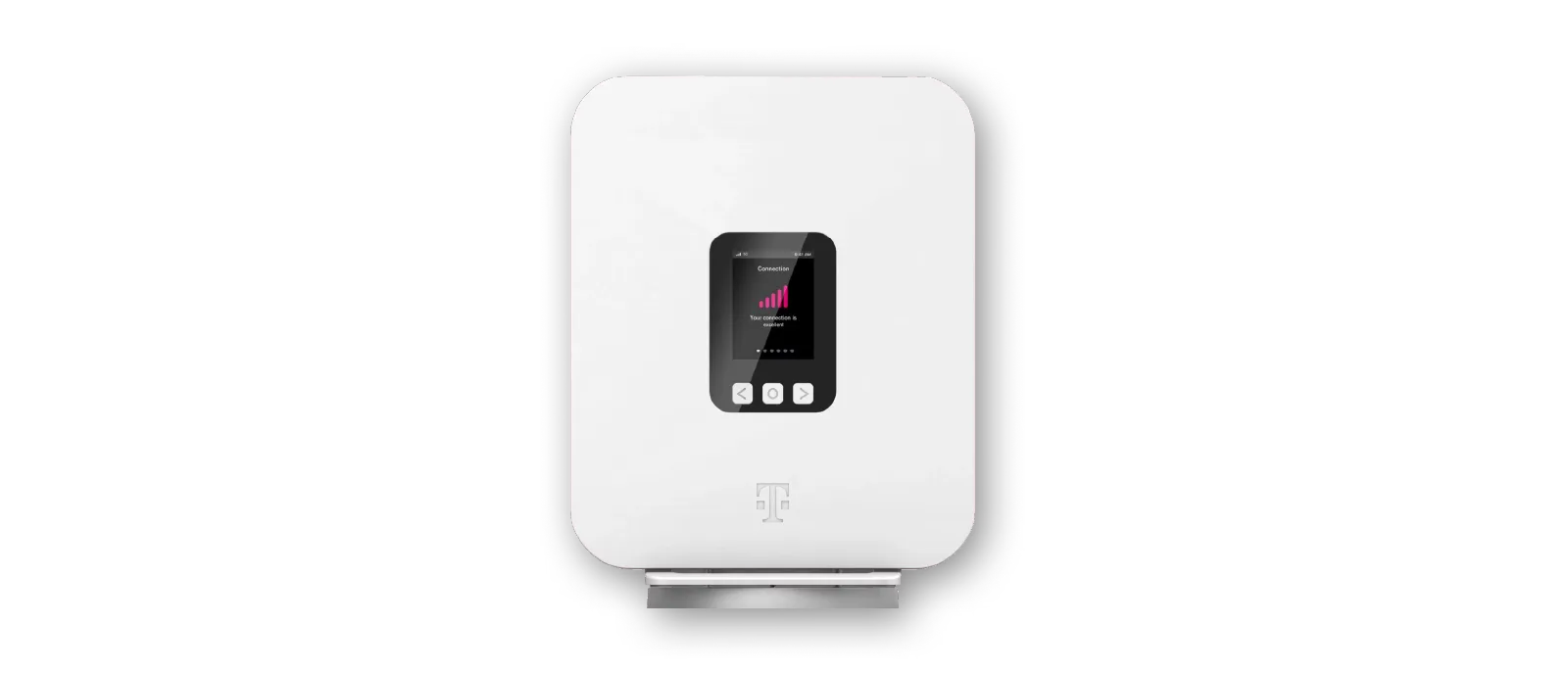
Fixed wireless is a type of internet service that uses 4G/5G cellular signals from nearby towers instead of physical cables to deliver signal to your home—and a 5G home gateway is the all-in-one device that receives that signal and converts it into Wi-Fi for your entire home.
Why gateway placement matters
Fixed wireless gateways and traditional routers use the same Wi-Fi technology to connect your devices, so in theory, the best placement would be similar for both. But the incoming signal from a 5G provider’s network creates very different demands on your gateway placement. Here’s how it works.
Wi-Fi signal is spherical
Next-gen home Wi-Fi technology uses “omnidirectional” antennas that send wireless signal in all directions, essentially creating a 360-degree coverage bubble with your gateway at the center.
That means that for the most even Wi-Fi coverage, the best placement for a gateway or traditional router is a central location in your home. If instead, you place it along an exterior wall, in a far corner of the house, or too low to the floor, you’ll miss out on your strongest Wi-Fi signal and may accidentally create dead zones across the house.
It’s fairly feasible for wired and even satellite home internet services to achieve that central location, as long as your technician mounts your satellite or drills your exterior connection at a fairly central point.
For 4G/5G home gateways, optimizing Wi-Fi signal is a little trickier.
Wireless internet modem placement affects network reception, not just Wi-Fi
With traditional internet services like cable, fiber, or DSL, the quality of your overall network reception is already set by the time the data reaches your gateway, so gateway and router placement is mostly about making sure your Wi-Fi signal can reach all your devices.
With 4G/5G fixed wireless service, cellular frequencies enter your gateway completely unmediated by a coaxial or fiber cable, so placement isn’t just about optimizing Wi-Fi signal but also about making sure your receiver even gets the data from the larger network in the first place.
Challenges in fixed wireless gateway reception
Wireless 4G/5G cellular signals are more sensitive to environmental factors than wired media like fiber and coax cables. Distance and physical interference can weaken cellular signal before it even reaches your gateway, and dense building materials like brick, concrete, metal siding/roofing, and fiberglass insulation are major culprits.
The single most important factor required for excellent 4G/5G reception is what’s called a clear “line of sight” to your provider’s nearest cell tower. That doesn’t mean the tower literally has to be visible to the naked eye; it just means that you need to clear as many obstacles as possible between the receiver and cell tower.
In your home, there’s one place where the building materials are thinner than anywhere else—the windows.
The best placement for a wireless internet modem: the window
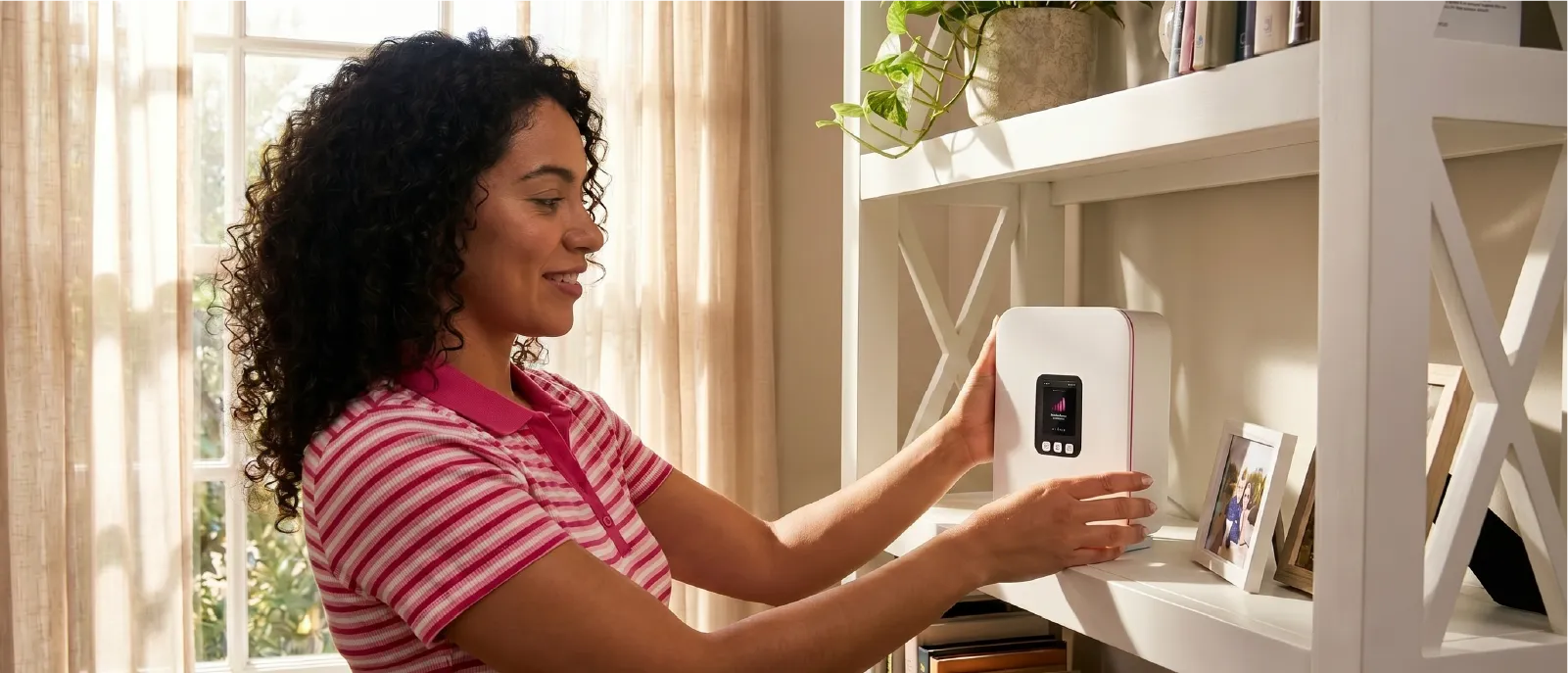
With line of sight being the most crucial factor in good 4G/5G reception, the best placement for a wireless internet modem is in a window that faces the nearest cell tower in your provider’s network.
You may have noticed a paradox here: in-home 5G internet reception is strongest near windows—and yet, Wi-Fi has the strongest signal and most thorough coverage when placed in a central position.
It’s a unique challenge, to say the least. But there are also distinct benefits of window-mounted Wi-Fi:
- Wider service availability and clearer line-of-sight in rural and select suburban areas
- Plug-and-play home internet setup, no ground construction or professional technician visit required
- Fixed wireless gateway (vs. traditional router) is always a single device, no modem or switching terminal required
And even with the very real challenges of window-mounted Wi-Fi, 4G/5G brings such essential connectivity to modern households that the placement paradox is well worth figuring out. Read on for tips on how to make the window work in your favor.


Tips to make the window work for you
How to improve cellular Wi-Fi signal indoors
You can improve cellular signal indoors, maximize 5G home internet Wi-Fi performance, and even make your 5G home gateway look prettier in your window with the following tips.
- Choose the right spot in your home. The best spot for your 5G home gateway is a window that faces your provider’s nearest cell tower, with minimal obstructions outside and no metal screens blocking the window. You can find the right window with less trial and error by using apps like T-Life, CellMapper, or Network Cell Info to locate nearby towers. (Note: Some energy-efficient windows have metallic coatings that bounce 4G/5G signals back into the environment. Try another window, or place your gateway along an exterior wall as close to the window as possible.)
- Move your 5G home gateway higher. Height usually improves both cellular reception and Wi-Fi signal. If you live in a single-story home or apartment, place your gateway high on a shelf near the window or try mounting directly to the window with suction cups. If you live in a multi-story home, try setting up your gateway in an upper-floor window.
- Reduce heat exposure. Another paradox in wireless internet modem placement is that windows introduce the risk of overheating, which can slow speeds and cause frequent system restarts. You can reduce this risk by placing heat-absorbing, non-metallic barriers, like curtains or specialized window clings, between the glass and your 5G home gateway. Even heavy, opaque curtains should work, because they block light only, not 5G radio signals.
- Dress it up. For the aesthetically inclined, wicker baskets or decorative covers can provide a heat shield while also making your electronics blend in. Just make sure the covers/casing you choose are non-metallic and provide enough ventilation. Avoid hiding your gateway in metal or thick wooden cabinetry, which can block both cellular and Wi-Fi signals.
- Maximize airflow. Your 5G home gateway should have decent air circulation in your windowsill or shelving, so open shelving is optimal. For extra cooling, you can even try external cooling fans that plug directly into your device.
- Use a mesh Wi-Fi system to fill coverage gaps. Mesh Wi-Fi is often the best solution to the placement paradox. A mesh system uses one or more additional Wi-Fi nodes to create a seamless network and eliminate dead zones no matter where your gateway sits. If getting additional Wi-Fi equipment seems like a bit much, remember that even wired home internet networks sometimes require mesh Wi-Fi for the best performance.
- Use secondary antennas. You can optimize signal and reduce heat exposure by placing a secondary wireless antenna device in your window, which then connects directly to your gateway in a more shaded spot. For the rare tech enthusiast not afraid of intense DIY, you can even buy specialized “enclosure” kits that mount your gateway outdoors for optimal signal, then pass data into your home via wiring.
Hot tip: With T-Mobile 5G Home Internet, a mesh Wi-Fi unit is included in the cost of the All-In plan, and available at a low monthly rate with other plans.
T-Mobile 5G Home Internet: simple setup, strong performance
One of the biggest benefits of window-mounted Wi-Fi is the plug-and-play home internet setup. There’s no technician visit required, no trench digging through your property, and no unsightly exterior drilling or cabling. You just find the best spot using a cell tower locator app, plug in your 5G home gateway, and get online in minutes.
The T-Mobile experience
With the plug-and-play setup of the T-Mobile 5G home gateway, you’ll be on your way to fast speeds, excellent performance across multiple devices, and next-gen home Wi-Fi technology in no time. Take advantage of these features when you sign up today.
- The T-Life app detects your nearest T-Mobile tower to help you quickly find the best wireless internet modem placement.
- Signal indicators on the LCD screen give you instant visual confirmation.
- Combined Wi-Fi 6 and 5G home internet connectivity provides robust in-home coverage, with newer models moving toward Wi-Fi 7, which adds a third data band for even better signal reach through walls.
- T-Mobile’s mesh Wi-Fi unit—included with the 5G Home Internet All-In plan—helps boost signal to the more centralized location required for optimal Wi-Fi signal.
- The optional antenna kit with suction cups helps improve signal reception while protecting your 5G home gateway from heat exposure.


Try T-Mobile risk free
T-Mobile 5G Home Internet can deliver fast fixed wireless internet in settings from city apartments to rural homes. Ready to go for it? T-Mobile offers a 15-day Internet Test Drive. Sign up today to test placement in your home, adjust your setup, and see just how fast you can go with T-Mobile.
Frequently asked questions
Does 5G signal go through walls?
Yes—but not very efficiently. The fastest 5G signals are made up of short-range, high-frequency data bands, and indoor penetration tends to be pretty weak. That’s why the best placement for a wireless internet modem is windows and exterior walls, where there are fewer layers of dense building materials between your gateway and the nearest cell tower.
What’s the difference between Wi-Fi 6 vs. 5G home internet?
Wi-Fi 6 and 5G home internet aren’t competing technologies—they actually work together to provide modern internet access in a single device. Modern 5G home gateways like T-Mobile’s first receive 5G cellular signal from nearby towers, then convert that signal into next-gen home Wi-Fi technology that passes through walls to reach every phone, laptop, game console, or smart device in your home.